Designing Clear Presentation Slides for Class

A good class presentation is not a wall of text read aloud. It is a speaker with a clear message, supported by slides that help the audience follow along. Learning designing clear presentation slides class talks need comes down to a few habits: one idea per slide, text large enough to read from the back row, visuals that support the point, and enough practice that you can talk without reading the screen. This guide walks through each habit with examples you can use for your next class talk.
One Idea Per Slide
The most common slide mistake is putting everything on one slide. A slide crowded with points makes the audience read instead of listen, and they end up doing neither well. Give each slide one job: one idea, one picture, or one short list. If a slide needs two headings, it probably needs two slides. Short slides also make you look confident, because you move forward with a clear purpose instead of hiding behind a wall of text.
Start by writing your talk as a short list of main points, then give each point its own slide. A five-minute talk usually needs about five slides: a title slide, three content slides, and a closing slide. If you have more points than slides, you are trying to say too much, and the audience will remember less, not more. Less on each slide means more in the audience memory.
Text That Everyone Can Read
Slide text must be readable from the back of the classroom, so use large text, short lines, and plenty of space. As a guide, slide titles should be the largest text on the slide, and body text should still be large enough to read from several metres away. If you are unsure, stand at the back of the room during practice and check. If you cannot read it, neither can your audience.
Use short phrases, not full paragraphs. A slide should carry the key words that remind you what to say, while the full explanation comes from your mouth. Keep to a handful of lines per slide and a handful of words per line. Choose one plain font for the whole presentation, keep colours calm with strong contrast between text and background, and avoid bright colour combinations that tire the eyes.
- Large text that can be read from the back row.
- Short phrases and key words, never full paragraphs.
- One plain font through the whole presentation.
- Dark text on a light background, or light text on a dark one.
Visuals That Support, Not Distract
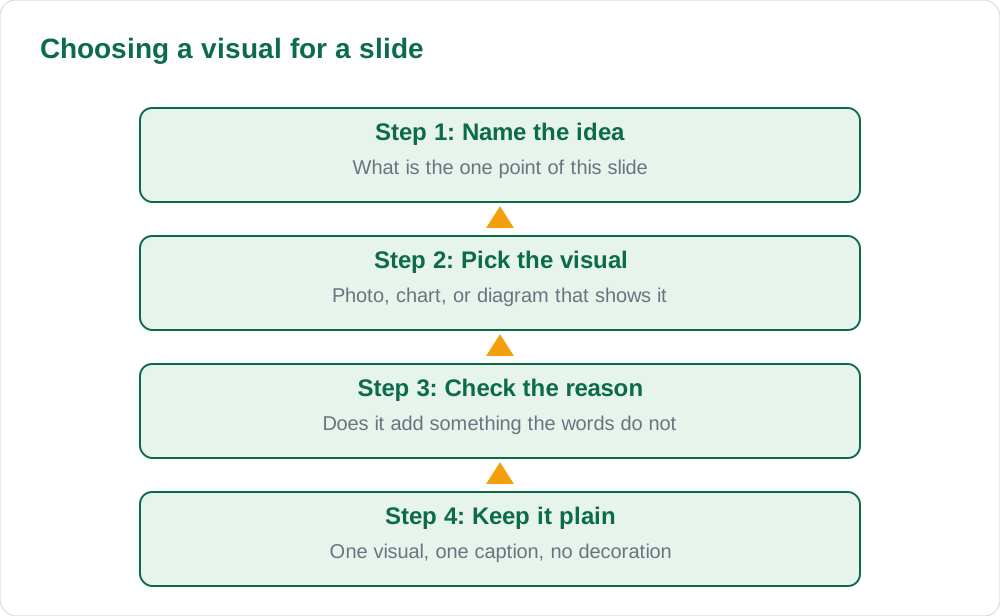
A picture, chart, or diagram earns its place when it makes the idea clearer than words alone. A photo of the thing you are describing, a simple chart showing a change, or a labelled diagram of a process all help the audience understand faster. Every visual needs a reason: ask what the audience learns from it that the words do not already say. If the answer is nothing, remove it.
Decoration that distracts is worse than no decoration. Spinning animations, loud transitions, and clip art on every slide pull attention away from your message and make the talk feel childish. Use one simple transition style, or none at all, and keep animations for the rare moment when revealing one step at a time genuinely helps understanding. The speaker is the presentation; the slides are the support.
Practising Your Talk
Slides cannot rescue a talk that was never practised. Practise aloud, standing up, with the slides running, at least twice before the real presentation. Time yourself, because talks feel shorter in your head than they are out loud. If you run over time, cut content rather than speaking faster. An audience forgives a short talk, but a rushed one leaves them behind.
Practise looking at the audience, not the screen. The slide is behind you or beside you; your words should carry the talk. Learn the opening line and the closing line by heart, so you start and finish strongly even if nerves make the middle wobble. Practise the handover between slides, so each new slide arrives exactly when you begin talking about it.
Common Slide Mistakes to Avoid
Five mistakes spoil most pupil presentations. First, reading the slides aloud word for word, which bores the audience, because they can read faster than you can speak. Second, slides so full that nobody can find the point. Third, tiny text copied from a book or a website. Fourth, slides in a random order that jump between topics. Fifth, no ending, so the talk just stops instead of concluding.
The fix for all five is the same: prepare the talk first, then build slides that support it, then practise aloud. If you are turning a written assignment into slides, remember that a document and a talk are different things. For the document side, see our guide to MS Word formatting skills school work, and for the talk side, follow the one-idea-per-slide rule in this guide.
AI Help: Muse AI
Muse AI is Meta's personal AI assistant, and it can help with turning a paragraph into short slide bullet points for a class talk. Muse AI does not give official Sindh Textbook Board answers — always verify against your Sindh Textbook Board book and your teacher.
Join Muse with invite code LTGSWD — in the Muse app, go to Settings > Redeem token and enter the code.
Disclosure: LTGSWD is the author's Muse invite code.
5 key points you must know
- One slide carries one idea, not the whole talk.
- Slide text must be readable from the back row.
- Slides carry key words; the speaker gives the explanation.
- Every visual must add something the words do not say.
- Practise aloud, standing up, at least twice before the real talk.
Frequently asked questions
How many slides should a five-minute talk have?
About five: a title slide, three content slides, and a closing slide. If you have more points than slides, you are trying to say too much, so cut the weakest point.
Should I read my slides aloud?
No. The audience can read faster than you can speak, so reading slides aloud bores them. Put key words on the slide and speak the full explanation yourself.
Are animations bad in presentations?
Not always, but most animations distract more than they help. Use one simple style or none at all, and save animation for moments when revealing steps one at a time genuinely aids understanding.
What should the last slide say?
A short conclusion: the main point of your talk in one or two lines, plus a thank-you. End clearly so the audience knows the talk is finished.
Solved notes — preview free
These guides work best with the solved exercises. Preview the solved notes free on this website — 119 solved notes for Classes 6–10 in Sindhi, Urdu, English and Arabic medium. Or browse the full solved notes catalogue for your class and medium. New solved notes are added regularly — check the catalogue for coming-soon books.